 0:30
0:30Slowmo phonk
278.2K uses1 clip
Category · 8 templates
Every CapCut template for Reels 30 seconds long on this page gives you room for a real story: a hook, a middle and a payoff, not just a five second flash. Each card shows the duration, the number of clips and the uses count, so you can confirm it is a true 30 second CapCut template before you open it.
Tap a preview to watch it, then use the Use Template button to open it in the CapCut app. Below the grid you will find a clip plan, a length comparison and export settings that suit longer Reels.
 Most used hereNew slowmotion729.7K uses · 1 clipsOpen template
0:30
Most used hereNew slowmotion729.7K uses · 1 clipsOpen template
0:30 0:30
0:30 0:30
0:30 0:31
0:31 0:30
0:30 0:30
0:30 0:230:29
It is a ready-made CapCut edit that runs around half a minute and usually asks for more clips than a short trend edit. The music, cuts, text and effects are already timed. You add your own photos or videos, and the template places them on the beat. Because the edit is longer, it suits content with a clear start and end: a day out, a recipe, a trip, a match, a before and after.
A long CapCut template for Reels is also more forgiving. Short edits need perfect clips because each one flashes past. Longer ones give a clip two or three seconds, so a steady, well-lit shot matters more than a flashy one.
| Length | Best for | Pace | Watch out for |
|---|---|---|---|
| 15 seconds | One joke, one reveal, an outfit, a quick trend | Fast cuts, one idea | No time to build a story |
| 30 seconds | Mini stories, recaps, a task with a result | Mixed: quick and slower clips | A slow, empty middle |
| 60 seconds | Vlogs, full recipes, travel days | Slower, often with text or voice | People leaving before the end |
Thirty seconds sits in the middle. It is short enough to rewatch and long enough to show change, which is why it works well on Instagram Reels, YouTube Shorts and TikTok. If you want the hottest sounds rather than a longer story, browse the trending CapCut templates for Reels.
Plan the story before you fill any slot. Watch the preview twice and note where the beat changes. Then split your clips into five parts.
Editor tip: Count the slots in the template, then line up your clips in a gallery album in that order before you tap Use Template. You can select them in one go and skip swapping later.
Shoot vertical 9:16 at 1080p. Hold each shot for at least five seconds so the template has room to trim. If the edit has slowed parts, record those at 60fps, the same way CapCut template slow motion edits are filmed, so they stay smooth.
Choose 1080p and a frame rate that matches your clips. Longer videos make bigger files, so keep free storage on your phone. Watch the whole export once before posting to catch a bad crop or a blurry clip. The CapCut template download guide covers every export option.
Match the template's mood to your footage. Daily life and travel fit the relaxed pace of a mini vlog CapCut template. A month of pictures fits a photo dump CapCut template, where 30 seconds lets you show more moments without rushing.
Check the duration on each card in the grid above. It shows the template length along with the clip count and uses. Open the preview to check the pace, then tap Use Template.
Usually not inside the template itself, because the timing is locked to the music. If you need more time, export the template video, open it in the normal CapCut editor and add extra clips before or after it. The template part stays the same.
No. Reels can run much longer than 30 seconds. What matters is whether people keep watching. A CapCut template for Reels 30 seconds long, with a strong hook and a clear payoff, often holds attention better than a slow 15 second one. If your story is thin, pick a shorter template.
It depends on the template. Some use a handful of long clips, others ask for many quick ones. The clip count on each card tells you how many slots there are. Gather a few extra clips so you can swap out a weak one.
Common causes are a low export resolution, digitally zoomed clips or footage shot in poor light. Export at 1080p, walk closer instead of zooming and film near a window or outdoors. Instagram also has a setting to upload at the highest quality, which is worth turning on.
Yes. The export is a normal vertical video, so you can post it on YouTube Shorts, TikTok or Facebook Reels too. Check each app's music rules, because a sound that plays fine on one platform may be muted on another.


 Instagram ReelsTrending 9:16 CapCut templates picked for Instagram Reels, with posting and audio tips.77 templates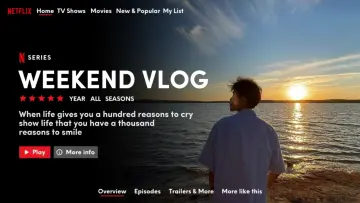

 Mini VlogShort vlog templates for daily life, trips and study days, built from small moments.44 templates

 Slow MotionSmooth slowmo, blur and zoom CapCut templates, plus shooting tips for clean slow motion.214 templates
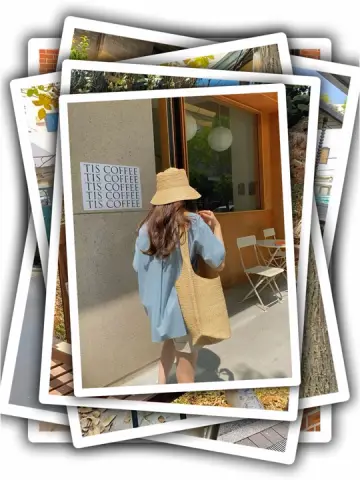
 Photo DumpFast beat-synced recaps for your month, a trip or a whole year of photos.38 templates
  TikTokVertical CapCut templates picked for TikTok, plus tips on sounds, hooks and captions.91 templates
 New TrendThe newest trending CapCut templates, checked daily so you can post before a trend peaks.288 templates

 CinematicMovie-style edits with black bars, rich color, wide shots and golden light.46 templates
 BirthdayHappy birthday wish edits for family, friends and partners, ready before midnight.53 templates