 0:11
0:11Zoom out template
15.2K uses2 clips
Creator · 27 templates
This Rao Edits CapCut template page lists templates credited to Rao Edits when we can confirm the name in CapCut, plus similar picks in a bold attitude style. From a desktop, the QR code on each template page is the quickest way to get it onto your phone.
Some people search "rao edits template capcut" instead, and both lead here. CCTemplates is independent and not affiliated with Rao Edits, CapCut or ByteDance. Below the grid, find tips for strong attitude edits that stay safe to share.
 Most used hereLemme Drive467K uses · 12 clipsOpen template
0:110:07
Most used hereLemme Drive467K uses · 12 clipsOpen template
0:110:07 0:10
0:10 0:20
0:20 0:18
0:18 0:15
0:15 0:19
0:19 0:21
0:21 0:16
0:16 0:16
0:16 0:14
0:14 0:14
0:14 0:11
0:11 0:14
0:14 0:13
0:13 0:12
0:12 0:13
0:13 0:09
0:09 0:13
0:13 0:14
0:14 0:16
0:16 0:20
0:20 0:21
0:21 0:21
0:21An attitude edit is a short video that shows confidence: a slow walk, a sharp look at the camera, a bass-heavy beat and bold text. The template handles timing and effects. Your job is to bring clips with presence. For more of this style, browse our attitude CapCut templates and the tougher badmashi CapCut templates.
Editor tip: Film every shot three times and keep the best take. Small changes in timing make a big difference on the beat.
Do not use real or toy weapons, threats or insults aimed at anyone. Platforms like Instagram Reels and YouTube Shorts may remove such posts, and they can cause real trouble. Confidence comes from your look and timing, not from props.
Names with small spelling changes can belong to different accounts. Match the exact spelling on the CapCut screen before you tag anyone. First time using templates? Our how to use a CapCut template guide covers each step. For darker styles, see gangster CapCut templates.
No. CCTemplates is an independent directory with no link to Rao Edits, CapCut or ByteDance. We list templates credited to Rao Edits when CapCut shows that name on the template screen, and we add similar attitude styles by other editors. Credit always belongs to the creator.
Both show confidence. Attitude templates are usually stylish and calm, with slow walks and clean text. Badmashi templates lean harder, with heavy bass, fast cuts and tough poses. Either way, skip weapons and threats. Browse our badmashi CapCut templates to compare.
Flat edits usually come from eye-level shots in dull light. Film from a lower angle, use side light from a window or the evening sun, and move on the beat. A clear action, like a head turn, gives each cut something to land on.
Many templates let you tap the text and type your own words, but some lock it. Open the template in CapCut and tap the text layer to check. If it is locked, pick a similar template from this page that allows text edits.
Add a short template by line with the exact handle from the creator's CapCut profile to your caption. If you share straight from CapCut, keep any template link it adds. This helps viewers find the template and gives the creator fair credit for the timing and effects.


 AttitudeConfident walk-ins, sunglasses reveals and bass-drop edits with short bold text.37 templates

 BadmashiPlayful desi swag walk-ins, slow looks and Haryanvi or Punjabi beat edits.10 templates

 GangsterFilm noir gangster edits: black and white, hard shadows, slow walks and title cards.20 templates
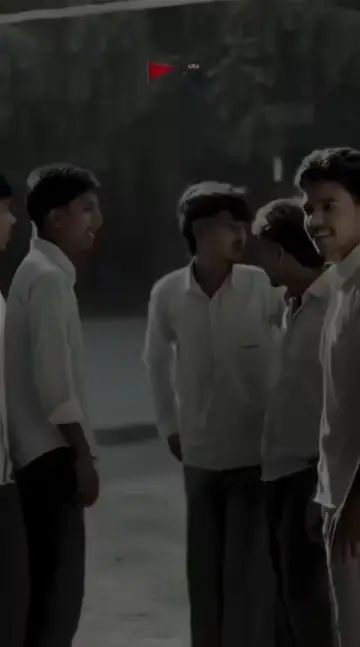 GundaFilmy hero-entry and dialogue edits with slow motion, kept fun and threat-free.2 templates

 CarHeadlight reveals, wheel close-ups, night glow and interior shots for car lovers.38 templates

 Roy EditorRoy Editor and Roy Edits style remix templates, with tips to land every cut on the beat.39 templates How to UseFill any template with your own clips: picking order, cropping, text edits and export tips.Open