 0:12
0:12Trend iPhone 3D
36.5K uses12 clips
Category · 21 templates
A CapCut iPhone template gives your clips the clean, bright and sharp look people link with iPhone videos, and it works whether you film on an iPhone or an Android phone. The grid below collects these looks along with templates that iPhone users pick often.
Every card links to a page with the full preview and a direct CapCut link. Below, learn how to get the look, how to give CapCut photo access on iOS, and why HDR clips can look washed out after export.
 Most used here8k Quality Slow-mo2.7M uses · 1 clipsOpen template
0:12
Most used here8k Quality Slow-mo2.7M uses · 1 clipsOpen template
0:12 0:20
0:20 0:13
0:13 0:28
0:28 0:11
0:11 0:19
0:19 0:13
0:13 0:30
0:30 0:23
0:23 0:16
0:16 0:15
0:15 0:15
0:15 0:20
0:20 0:23
0:23 0:190:16
 0:26
0:26 0:17
0:17 0:21
0:21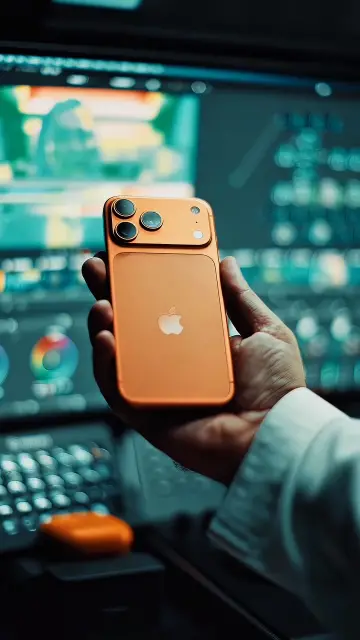 0:17
0:17 0:15
0:15People use the phrase in two ways, and this page covers both.
Templates styled like iPhone footage: natural colors, gentle contrast, crisp detail and soft skin. Some add an iPhone-style camera frame or screen layout, which is a design touch, not an Apple feature.
Any iphone capcut template opened in the CapCut app on iOS. The templates themselves are the same as on Android. Only the settings and permissions differ.
Newer iPhones record HDR video by default. HDR clips carry extra brightness that some apps and screens do not handle well, so an export can look grey, flat or too bright. Here are the common cases.
| Problem | Likely cause | What to try |
|---|---|---|
| Export looks grey or faded | HDR clip converted to normal video | Turn off HDR Video in Settings, Camera, Record Video for future clips |
| Fine on iPhone, dull on Android | The other screen does not show HDR | Shoot with HDR off when you plan to edit and share widely |
| Black or frozen slot in a template | A clip format that did not load | Follow the CapCut template black screen fix guide |
| Recent photos missing in CapCut | Limited photo access | Set Photos to Full Access for CapCut |
Editor tip: If you edit a lot, set Settings, Camera, Formats to Most Compatible. Files get bigger, but they tend to load more smoothly in editing apps and look the same on every phone.
The clean iPhone style sits between plain footage and heavy grading. For softer pastels and light leaks, browse the aesthetic CapCut template page. For black bars and movie colors, the cinematic CapCut template collection is the next step. CCTemplates is an independent site and is not linked to Apple or CapCut.
No. The name usually describes the look, not the phone. Android users can open the same templates in CapCut and get a similar clean result, especially with good daylight, a clean lens and no digital zoom. The template works the same on both systems.
You probably gave CapCut Limited Access to Photos. Open Settings, find CapCut, tap Photos and choose Full Access, or pick more photos for it to see. Close and reopen CapCut afterwards so it loads the new list of clips.
Open Settings, tap Camera, then Record Video, and switch off HDR Video. This only affects new clips, not the ones already in your gallery. Turn it back on any time you want HDR for watching on your iPhone rather than editing.
This often happens when CapCut is not installed yet, or when the link was opened inside another app's browser. Open CapCut once, then try the link again or use the backup link. Our guide on why a CapCut template is not showing covers more fixes.
Exported videos are saved to the Photos app and show up with your latest pictures. If CapCut asks for permission to add to Photos, allow it, or the save will fail. You can then share the video straight to Instagram, YouTube or WhatsApp.
CapCut is available on iPad in many regions, and templates open there too. The videos are still vertical 9:16, so you will see empty space at the sides while editing. The exported file looks the same as one made on a phone.


 FilterColor-grade templates: vintage, film, warm, moody and clean phone looks.41 templates

 AestheticSoft pastel tones, film grain, slow pans and minimal text for calm, clean edits.28 templates

 CinematicMovie-style edits with black bars, rich color, wide shots and golden light.46 templates
 Slow MotionSmooth slowmo, blur and zoom CapCut templates, plus shooting tips for clean slow motion.214 templates
 GirlsSelfie beat-syncs, outfit transitions, makeup reveals and bestie reels for girls.26 templates
 PhotoPhoto-only CapCut templates with 3D zoom, parallax and beat flashes. No video needed.72 templates
 Glow EffectOutline glow, soft bloom and light flash edits, plus tips for clean, bright results.22 templates

 FantasizeSoft, glowy pastel templates with slow zooms, plus tips on light and photo choice.19 templates