 0:13
0:13GATA ONLY REMIX
49.7K uses1 clip
Trend · 22 templates
This page collects every CapCut gata only template we track, in three main styles: a fast photo dump, a velocity edit and a slowed version. Watch the previews above, pick one, and open it in CapCut with one tap.
The trend is named after a Spanish-language song, and every version is timed to its rhythm. We do not quote lyrics here. Instead, you will learn how each version works, what to put in it and how to get the order right.
 Most used hereGATA ONLY3.4M uses · 20 clipsOpen template
0:13
Most used hereGATA ONLY3.4M uses · 20 clipsOpen template
0:13 0:18
0:18 0:28
0:28 0:17
0:17 0:20
0:20 0:27
0:27 0:18
0:18 0:18
0:18 0:18
0:18 0:17
0:17 0:14
0:14 0:17
0:17 0:16
0:16 0:23
0:23 0:14
0:14 0:19
0:19 0:12
0:12 0:20
0:20 0:15
0:15 0:18
0:18 0:160:20
The CapCut gata only template is a beat-synced edit set to the Gata Only song. The template switches your photos or clips on the rhythm, so even a simple gallery looks planned. Searches like "gata only capcut template" and "gata only template capcut" all lead to the same trend, and the versions differ mainly in speed and in what media they expect.
Many photos, each on screen for a beat or two. Best for a month recap, a trip, a college fest or a friends album. Works even if you have no video at all.
Video clips that speed up and slow down on the beat. Best for dance steps, outfit spins and hair flips. Needs clips with clear movement.
A slower, dreamier take on the song with soft transitions. Best for night clips, close-ups and moody portraits. Needs fewer clips.
If your gallery is full of photos, start with the photo dump. If you filmed a few good moves, go velocity. If you want a calm late-night post, choose slowed.
Look at the number of clips on each card before you open it. Photo dump versions often ask for a lot of items because each one stays on screen only briefly. Make a small album in your gallery first with exactly that many photos. It saves time when CapCut asks you to select media.
If you have fewer photos than the template needs, pick a version with a lower clip count instead of repeating the same photo. Repeats are easy to spot in a fast dump.
For more templates built for big photo sets, browse our photo dump CapCut template collection.
Velocity edits need a clear action the template can speed up and slow down. These clips work well:
If you love speed ramps, the life force CapCut template is another strong velocity trend with bigger energy.
The slowed version gives each clip more time, so quality shows. Use three or four of your best clips instead of many average ones. Night shots under street lights, soft window light and close-ups of eyes or hands suit the mood. Record at 60fps so CapCut can slow them without stutter.
Editor tip: In the slowed version, keep the camera still and let only the subject move. A shaky phone looks much worse when the clip is slowed down.
Export in 1080p and post to Instagram Reels or TikTok while the sound is still popular. Our trending CapCut templates for Reels collection has more edits sized for Reels. The exported video keeps the template's music. Where the platform offers its own copy of the same sound, using it can help with music rights and discovery. If CapCut will not save your video, our CapCut template download guide explains saving and export quality.
Only post photos of friends who are happy to be in your dump. Ask first, especially for group photos from parties or college.
Song trends fade and new ones arrive. See what is rising on the CapCut template new trend page.
Yes. Opening a gata only template from this page is free, and most versions work in the free CapCut app. If a version uses an effect CapCut marks as Pro, the app will let you know. Go back and choose another version, since the photo dump and slowed styles have several options.
Usually yes. Most photo dump templates accept both photos and short videos. A video plays only for its slot, so choose the part with movement. Mixing a few short clips into a photo dump makes it feel more alive.
The template itself stays on beat, so the problem is usually the clip. If the action starts late in your clip, it misses the cut. Tap the slot and slide the selection so the move begins right at the start. Also check that you did not add clips in the wrong order.
CapCut has been blocked in India since 2020, so whether templates open depends on your country and on what the official app stores allow. We do not share ways around this. Templates on this page open normally wherever CapCut is officially available.
Yes. The photo dump version is great for a friends album or a couple's month together. Ask everyone in the photos before posting. For couple edits with a softer feel, see our CapCut template couple collection.
Popularity changes from week to week, so check the uses count on each card in the grid. A higher count usually means more people are posting that version now. Photo dump versions tend to suit the most people because they need no filming.

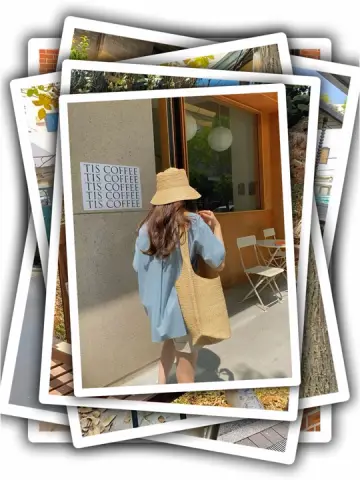
 Photo DumpFast beat-synced recaps for your month, a trip or a whole year of photos.38 templates

 Life ForceHigh-energy velocity edits for gym, sports and gaming clips, shot at 60fps.23 templates

 New TrendThe newest trending CapCut templates, checked daily so you can post before a trend peaks.288 templates

 Instagram ReelsTrending 9:16 CapCut templates picked for Instagram Reels, with posting and audio tips.77 templates
 TikTokVertical CapCut templates picked for TikTok, plus tips on sounds, hooks and captions.91 templates
 CoupleSplit screen, anniversary, pre-wedding and cute everyday couple edits for two.56 templates

 La La LaCatchy sing-along edits for friends, cousins and classmates, timed to a bouncy beat.10 templates

 GirlsSelfie beat-syncs, outfit transitions, makeup reveals and bestie reels for girls.26 templates