 0:16
0:16Life Force
181.3K uses60 clips
Trend · 23 templates
This page brings together every life force CapCut template we track: high-energy velocity edits where your clip races, slows to a crawl on the hit, then races again. Preview the versions above and open one in CapCut with a tap.
Velocity edits look best with strong action and smooth footage. Below you will learn how a speed ramp works, which clips give the biggest effect, how to shoot at 60fps, and how to fix the usual problems.
 Most used hereLife Force Trend1.9M uses · 31 clipsOpen template
0:16
Most used hereLife Force Trend1.9M uses · 31 clipsOpen template
0:16 0:11
0:11 0:12
0:12 0:10
0:10 0:15
0:15 0:14
0:14 0:20
0:20 0:160:10
 0:14
0:14 0:14
0:14 0:10
0:10 0:15
0:15 0:20
0:20 0:08
0:08 0:17
0:17 0:14
0:14 0:14
0:14 0:14
0:14 0:12
0:12 0:12
0:12 0:14
0:14 0:10
0:10Quick answer: Use short action clips, like a lift, a sprint, a kick or a jump, shot at 60fps in bright light. Put the peak of the action where the template slows down. Keep the phone steady and the subject in the centre of the 9:16 frame.
The life force CapCut template is a velocity edit. Velocity here means the speed of the clip changes on the beat: fast, then very slow, then fast again. That pattern is called a speed ramp, and it is why many people also search for a "velocity capcut template" when they want this look. The life force template capcut versions are high energy, so they suit gym, sports, dance and gaming clips.
Picture a punch. The template plays the wind-up fast, slows right down at the moment of impact, then speeds up as the arm pulls back. The eye notices the slow part, so the action feels powerful.
To slow a clip smoothly, CapCut needs enough frames. A 60fps clip has twice as many frames as a 30fps clip, so the slow part stays smooth instead of stuttering. That one camera setting does more for a velocity edit than any filter.
Gameplay fans can find more styles in the CapCut template Free Fire collection.
Velocity edits are popular in gyms because one heavy rep becomes a moment. Film your best set of the day, not your first warm-up. Wear clothes that contrast with the gym walls so you stand out. For more workout styles, browse our CapCut gym template collection.
Coaches and sports academies can use the same style for drills and match prep. A slowed sprint, a clean pass or a perfect stance shows skill clearly. Our CapCut training template page has edits made for that kind of footage.
| Problem | Likely cause | Fix |
|---|---|---|
| Slow part stutters | Clip shot at 30fps or in low light | Film again at 60fps in brighter light |
| Slowdown misses the action | Peak is in the wrong part of the slot | Tap the slot and slide the clip |
| Head cut off on zoom | Subject too close to the camera | Step back and stay centred |
| Edit feels flat | Clips with little movement | Pick bigger, sharper actions |
Editor tip: Watch the preview and find the first big slowdown. Put your single best clip there. Viewers decide in that moment whether to keep watching.
Want faster cuts with remix music? The X remix trend CapCut template mixes speed ramps with flashes. For harder hits on the bass, try the bass da da da template CapCut. New to templates? Read how to use a CapCut template first.
Yes. Opening a life force template from this page is free, and most versions work in the free CapCut app. If a version uses an effect CapCut marks as Pro, the app will tell you. Go back and pick another version from the grid with the same velocity style.
Velocity is the editing style: clips speed up and slow down on the beat. Life force is the name of one popular trend that uses that style with high-energy music. Every life force template is a velocity edit, but not every velocity edit is life force.
You can, but the slow parts may stutter. If your phone only records 30fps, film in very bright light so each frame is sharp, and choose a version where the slow moments are short. The preview shows how long each slowdown lasts.
Record three to six seconds per move, starting a second before the action. The template uses only a small part of each clip, but the extra length gives you room to slide the clip so the peak lands exactly on the slowdown.
Yes. Screen recordings of clutch rounds, final kills or big jumps work well. Record at the highest frame rate your phone allows and trim each clip so the key moment comes first. Clear, bright game scenes look better than dark maps.
Only film moves you can already do safely. Use soft ground for jumps, have a friend nearby for heavy lifts, and never film on roads or while driving or riding. A simple, clean move looks better in slow motion than a risky one.


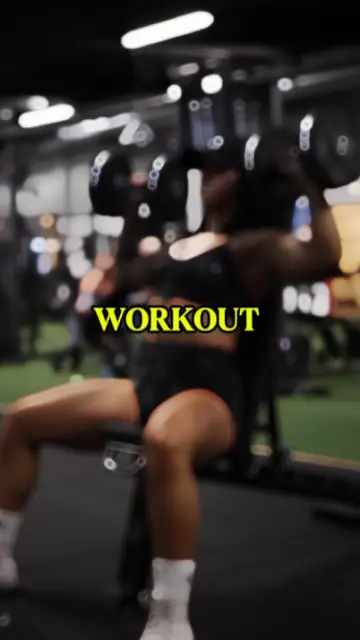 GymWorkout edits for heavy lifts, pump shots and before-and-after transformations.13 templates

 TrainingRunning, boxing, cricket and football practice edits with progress stories.22 templates

 X RemixFast remix cuts, speed ramps and beat sync for hype, dance and gaming clips.24 templates

 Free Fire & GamingFree Fire and gaming montages, squad intros and highlight edits synced to the beat.25 templates

 Bass Da Da DaHard cuts on every bass hit, made for punchy clips and quick attitude edits.25 templates
 Slow MotionSmooth slowmo, blur and zoom CapCut templates, plus shooting tips for clean slow motion.214 templates
 AttitudeConfident walk-ins, sunglasses reveals and bass-drop edits with short bold text.37 templates

 Gata OnlyPhoto dump, velocity and slowed versions of the Gata Only trend, with timing tips.22 templates