 0:20
0:20Try this glow effect
82.6K uses6 clips
Trend · 22 templates
This page lists every glow effect CapCut template we track: edits that add a bright outline around you, a soft dreamy bloom, or quick light flashes on the beat. Preview the styles above and open any one in CapCut with a single tap.
Glow looks best when it has something to stand out against. Below we explain the three main glow styles, why your background matters so much, and how to shoot clips that give clean, sharp edges.
 Most used herenew trending slowmo6.6M uses · 1 clipsOpen template
0:20
Most used herenew trending slowmo6.6M uses · 1 clipsOpen template
0:20 0:17
0:17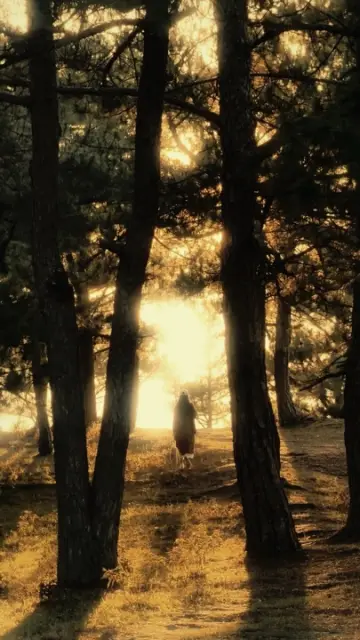 0:17
0:17 0:20
0:20 0:09
0:09 0:20
0:20 0:18
0:18 0:21
0:21 0:15
0:15 0:20
0:20 0:22
0:22 0:22
0:22 0:11
0:11 0:17
0:17 0:16
0:16 0:11
0:11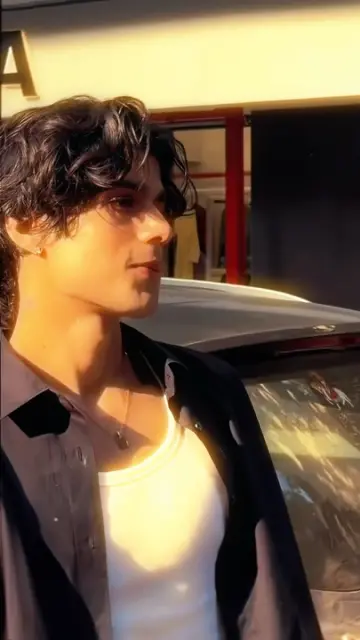 0:17
0:17 0:15
0:15 0:14
0:14 0:22
0:22 0:140:20
Quick answer: For outline glow, film in front of a plain, darker background so CapCut can find your edges. For bloom, use soft light with bright spots like windows or lamps. For light flashes, choose clips with movement on the beat. Avoid busy, bright backgrounds that swallow the glow.
A glow effect CapCut template adds light to your clip in a planned way. Some versions trace the edge of your body with a bright line. Others make highlights spread into a soft haze. Others flash light across the screen when the beat hits. People also search for "capcut glow effect template" or simply "glow capcut template", and it is the same family of edits.
Outline styles often rely on CapCut finding the person in the frame automatically. That is why the clip you add matters more here than in most templates.
| Style | What it looks like | Best clip | Watch out for |
|---|---|---|---|
| Outline glow | A bright line traces your body | Full or half body, plain background | Busy backgrounds make the line flicker |
| Bloom or soft glow | Highlights spread into a dreamy haze | Window light, lamps, sunsets | An overexposed sky turns flat white |
| Light flash | Bursts of light on the beats | Dance, turns, quick moves | Too many flashes tire the eyes |
Check each card's duration and clip count too. Outline glow versions often need fewer, longer clips, while flash versions may cut faster.
Glow is light on top of your clip. If the background is already bright and busy, the glow has nowhere to show.
A plain wall, a night sky, a dark room with one lamp, an empty parking lot at dusk. Wear colours that differ from the background so your outline is easy to find.
Crowds, patterned walls, trees against a bright sky, or wearing the same colour as the wall. Strong light behind you turns you into a dark shape with a messy edge.
Night clips are a natural fit. Parked cars under street lights look great with a glow pass, and our CapCut template new trend car collection has more night-drive style edits for parked shots.
These names sound alike but do different jobs. A glow effect adds light around you in any kind of clip. The neon slow motion CapCut template adds coloured neon lines plus slow motion, and suits night footage best. The glow up CapCut template is a before and after transformation and is not really about light at all. If you want a soft, dreamy feel without strong outlines, the aesthetic CapCut templates are a better match.
If the outline jumps around, swap the clip for one with a plainer background. If the glow covers your face, use a shot where you stand a little further from the camera. If the edit looks dull, your clip may already be too bright, so film again in softer light. And if a slot shows nothing after you add media, see our fix for a CapCut template black screen.
Editor tip: Wear one bright item, like a white shirt or a coloured jacket, against a dark background. The glow catches that edge first and the whole edit looks sharper.
Yes. Opening a glow template from this page is free, and most versions work in the free CapCut app. Some glow effects inside CapCut may be marked Pro. If a template asks for Pro, go back and pick another version from the grid with a similar look.
Flicker usually means CapCut is struggling to separate you from the background. Busy patterns, crowds, or clothes in the same colour as the wall all cause it. Use a clip with a plain, darker background, keep the phone steady and make sure your whole body is well lit.
Yes. Many glow versions accept photos, and outline glow often works well on a sharp photo with a clear subject. Choose a photo where you stand against a simple background. Group photos with lots of people can give messy outlines.
Often, yes. A dark background lets the glow stand out. Just make sure there is still some light on you, like a street lamp or shop sign in front of you. With no light on your face, CapCut cannot find your outline cleanly.
In most templates, the glow colour is set by the creator and is part of the design. If you want a different colour, pick another version from the grid. Previews show the colour clearly, so you can compare a few before choosing one.
The clip is probably too bright already, so the glow has no contrast to work with. Avoid filming against a bright sky or white wall in harsh sun. Shoot in softer light, near sunset or indoors with one lamp, and the glow will look stronger.

 Neon Slow MotionNeon outlines, light trails and glowing slow motion, best with night clips.20 templates
 Glow UpThen vs now transformation edits for fitness, style, rooms and skills, with matched shots.23 templates

 AestheticSoft pastel tones, film grain, slow pans and minimal text for calm, clean edits.28 templates

 CarHeadlight reveals, wheel close-ups, night glow and interior shots for car lovers.38 templates

 FilterColor-grade templates: vintage, film, warm, moody and clean phone looks.41 templates

 FantasizeSoft, glowy pastel templates with slow zooms, plus tips on light and photo choice.19 templates

 CinematicMovie-style edits with black bars, rich color, wide shots and golden light.46 templates
 GirlsSelfie beat-syncs, outfit transitions, makeup reveals and bestie reels for girls.26 templates