 0:20
0:20Text
6.9K uses3 clips
Category · 38 templates
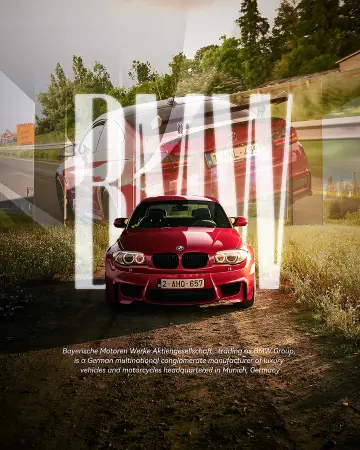
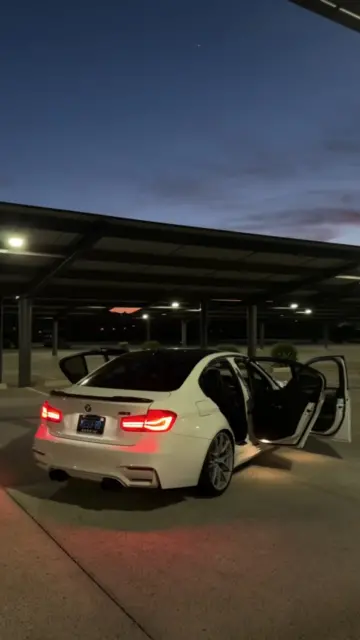
Pick a CapCut template new trend car edit here for headlight reveals, wheel close-ups, night city glow and clean interior shots, each ready to open in the CapCut app. They work for your own car, a family car or a bike, as long as you film the safe way.
If the main button does not respond, every template page also gives you a backup link. Check the clip count on the card, then plan your shots with the car parked or with you as a passenger, never as the driver.
 Most used hereCar Edits1.8M uses · 35 clipsOpen template
0:20
Most used hereCar Edits1.8M uses · 35 clipsOpen template
0:20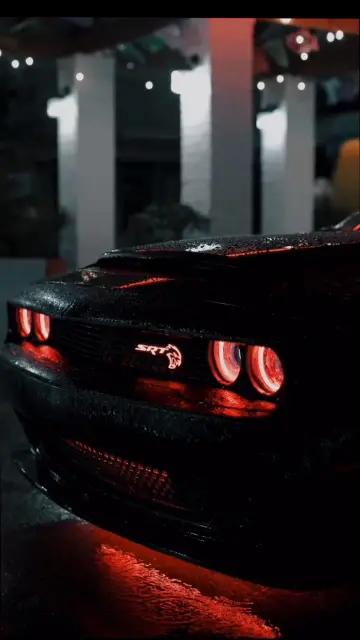 0:11
0:11 0:21
0:21 0:14
0:14 0:18
0:18 0:14
0:14 0:16
0:16 0:19
0:19 0:17
0:17 0:15
0:15 0:15
0:15 0:17
0:17 0:14
0:14 0:15
0:15 0:16
0:16 0:15
0:15 0:10
0:10 0:15
0:15 0:11
0:11 0:12
0:12 0:13
0:13 0:110:15
 0:09
0:09Never film while driving. Not for a quick clip, not at a red light. Every shot on this page should be taken with the car parked, or by a passenger while a sober driver focuses on the road and follows local traffic laws.
The good news: most of the best car footage does not need the car to move at all. Parked shots with good light look smoother and sharper than shaky clips from a moving seat.
Rollers are moving shots of one car filmed from another. They look great but need care. Only film them with a separate driver in each car, on an empty road where it is legal, at low speed, with seat belts on. The person filming sits as a passenger and never leans out of a window. If you cannot meet all of those conditions, skip rollers. A CapCut template new trend car edit looks just as good with the parked tricks below.
| Setting | What to use | Why |
|---|---|---|
| Frame rate | 60fps | Smooth slow motion on pans and reveals |
| Export | 1080p, 9:16 | Sharp on Reels, Shorts and TikTok |
| Exposure | Tap the brightest light, then lower it slightly | Stops headlights turning into white blobs |
| Stability | Tripod, or rest the phone on a bag | Night footage shakes more |
| Lens | Wipe it before filming | Smudges cause glare around lights |
For movie-style colour and wide frames, browse the cinematic CapCut template page. The CapCut slow motion template with neon effect trend suits night lights and glowing edges, and the CapCut template slow motion collection has more slowed reveals. A confident walk to the car fits the CapCut template attitude style. If a template turns black when you add night clips, try our CapCut template black screen fixes.
No. Never film while driving, even at a signal or on an empty road. Let a passenger hold the phone while a sober driver concentrates on the road, or film with the car parked. Parked shots usually look smoother anyway, because the phone stays steady.
Look for templates with glow, flash or neon effects and slow motion slots. Night footage of headlights, dashboard lights and city reflections fits these well. Film at 60fps, lower the exposure on bright lights and keep the phone steady on a tripod.
Yes. Most car templates accept any clip, so bike headlights, tank badges and wheel shots work the same way. Film close-ups with the bike parked and the engine off. Never record while riding, and wear a helmet in any riding shot someone else films.
Wash and dry the car first, then film at golden hour or at night under street lights. Move the camera slowly so reflections slide across the paint. A light filter with a little extra contrast helps, but heavy filters can make the colour look fake.
Yes. Many car templates accept photos and add zoom, shake or light flash effects on the beat. Use sharp photos from low angles, close-ups of details like badges and wheels, and one wide shot of the full car to finish the edit.
The camera is exposing for the dark areas, so the bright lights blow out. Tap the headlight in your camera app and lower the exposure slider a little before recording. Cleaning the lens also reduces glare and streaks around lights.


 CinematicMovie-style edits with black bars, rich color, wide shots and golden light.46 templates

 AttitudeConfident walk-ins, sunglasses reveals and bass-drop edits with short bold text.37 templates

 Slow MotionSmooth slowmo, blur and zoom CapCut templates, plus shooting tips for clean slow motion.214 templates
 Neon Slow MotionNeon outlines, light trails and glowing slow motion, best with night clips.20 templates

 BadmashiPlayful desi swag walk-ins, slow looks and Haryanvi or Punjabi beat edits.10 templates

 GangsterFilm noir gangster edits: black and white, hard shadows, slow walks and title cards.20 templates

 iPhoneClean, bright iPhone-style edits, plus help using templates on an iPhone.21 templates
 StarboyMoody night attitude edits with dark tones, city lights and slow, confident moves.11 templates