 0:14
0:14X REMIX TREND
4.8M uses16 clips
Trend · 24 templates
This page lists every X remix trend CapCut template we have collected: fast, remix-style edits where clips switch on the beat and speed ramps push the energy up. Tap any preview to open it in CapCut and drop in your own clips.
These edits look hard, but the template does most of the work. Your job is to give it the right footage. Below you will find what the style is made of, a footage checklist, and timing tips for dance, hype and gaming clips.
 Most used herenew trending slowmo6.6M uses · 1 clipsOpen template
0:14
Most used herenew trending slowmo6.6M uses · 1 clipsOpen template
0:14 0:18
0:18 0:15
0:15 0:20
0:20 0:28
0:28 0:15
0:15 0:19
0:19 0:14
0:14 0:17
0:17 0:29
0:29 0:20
0:20 0:16
0:16 0:15
0:15 0:22
0:22 0:17
0:17 0:13
0:13 0:13
0:13 0:24
0:24 0:17
0:17 0:17
0:17 0:16
0:16 0:14
0:14 0:170:20
The X remix trend is a beat-driven edit style. The music is a remix with a punchy rhythm, and the template cuts, zooms and shakes in time with it. It is shared under the name "X remix", and people search for "x remix capcut template" or "x remix template capcut" to find it. Most versions are built from four parts:
Because the cuts are so quick, each clip needs action from the first frame. A slow, empty start wastes the beat.
Run through this list before you tap Use Template. If most answers are yes, your edit will hit hard.
The template already decides where each cut falls. What you control is which part of your clip plays in each slot.
After adding a clip, tap its slot and slide the selection so the movement begins right away. If the jump happens two seconds in, the template may cut before it.
Watch the preview and spot the biggest hit, usually where the effects get heaviest. Place your strongest moment there. A clean trick or a sharp dance move on the drop is what people remember.
Alternate wide and close shots. Two close-ups in a row at this speed look like one blurry clip.
Several trends use beat sync, but each has its own feel. Use this to match your clips.
| Trend | Feel | Best clips |
|---|---|---|
| X remix | Fast remix cuts with speed ramps and flashes | Dance, hype, gaming, sports |
| Bass Da Da Da | Hard cuts on heavy bass hits | Single punchy moves, attitude shots |
| Life Force | Velocity edits, slow and fast in waves | Gym lifts, sprints, kicks |
If your clips are mostly single strong moves, try the bass da da da template CapCut page. For gym and sports footage with big speed changes, the life force CapCut template is a better match.
Yes, and it works very well. Screen recordings of kills, clutch rounds and headshots suit the fast cuts. Record gameplay at the highest frame rate your phone allows, then trim each clip so the key moment comes first. If your phone shows taps on screen recordings, switch that off for a cleaner frame. For more gaming styles, see the CapCut template Free Fire collection.
Fast edits lose quality easily, because every cut and flash needs more data. Export at 1080p, and choose 60fps if your clips were shot at 60fps. Upload the saved file straight to Instagram Reels, YouTube Shorts or TikTok instead of sending it through a chat app first, which often compresses video.
Editor tip: Watch your export once with the sound off. If you can still feel the rhythm from the cuts alone, the timing is right.
Heavy flashing can bother some viewers, so consider a short flash warning in your caption. Never film stunts on roads or while driving to get a hype clip.
New beat edits appear often. Check the CapCut template new trend page for fresh remix styles, and read how to use a CapCut template if any step in the app is unclear.
Yes. Opening any X remix template from this page is free, and most versions work in the free CapCut app. If a version uses an effect CapCut marks as Pro, the app will show it. You can then go back and choose another version from the grid.
It depends on the version. Each card shows the number of clips, and remix templates often ask for more than calm edits because the cuts are so fast. If you are short, film the same move from two or three angles. That gives you more clips without losing the story.
Blur usually comes from low light, clips shot at 30fps, or compression from sending the video through a chat app. Film in bright light at 60fps, export at 1080p, and upload the file directly to the platform from your gallery.
If the template has a text layer, you can tap it and type your own words. If it has none, keep the edit as it is and add a short caption in Instagram, YouTube or TikTok when you post. That keeps the beat-synced effects untouched.
Yes. Templates open in the CapCut app on both iPhone and Android, in countries where CapCut is officially available. On a computer, scan the QR code on the template page with your phone to open it there.
Each template uses the remix track its creator chose, and you can hear it in the preview. We do not list song names because versions differ. When you post, using the platform's own copy of the sound, where offered, helps respect music rights.


 Bass Da Da DaHard cuts on every bass hit, made for punchy clips and quick attitude edits.25 templates

 Life ForceHigh-energy velocity edits for gym, sports and gaming clips, shot at 60fps.23 templates
  New TrendThe newest trending CapCut templates, checked daily so you can post before a trend peaks.288 templates

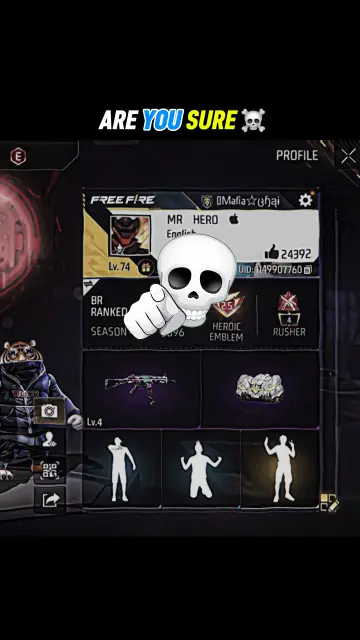 Free Fire & GamingFree Fire and gaming montages, squad intros and highlight edits synced to the beat.25 templates

 La La LaCatchy sing-along edits for friends, cousins and classmates, timed to a bouncy beat.10 templates
 AttitudeConfident walk-ins, sunglasses reveals and bass-drop edits with short bold text.37 templates
 TikTokVertical CapCut templates picked for TikTok, plus tips on sounds, hooks and captions.91 templates
 Instagram ReelsTrending 9:16 CapCut templates picked for Instagram Reels, with posting and audio tips.77 templates