 0:17
0:17mimosa 2000
7.8K uses7 clips
Trend · 19 templates
Each just like the wind CapCut template on this page is built for motion: hair lifting, a dupatta flowing, grass bending, waves rolling. Preview the versions above, then tap one to open it in CapCut and add your own clips.
The edits feel light and free, just as the name suggests. This page focuses on what makes them work: clips with real movement, filmed safely, and timed so the breeze peaks on the beat.
 Most used herejust like the wind3.8M uses · 43 clipsOpen template
0:17
Most used herejust like the wind3.8M uses · 43 clipsOpen template
0:17 0:16
0:16 0:17
0:17 0:17
0:17 0:18
0:18 0:17
0:17 0:13
0:13 0:17
0:17 0:18
0:18 0:17
0:17 0:18
0:18 0:21
0:21 0:10
0:10 0:170:17
 0:17
0:17 0:16
0:16 0:17
0:17 0:17
0:17Quick answer: Pick clips where something moves in the air: hair, cloth, grass, water or a kite. Shoot at 60fps, face into the breeze and keep the phone steady. No wind? A fan or a slow spin works. Never film while riding or driving.
Most templates focus on the person. This one focuses on the movement around the person. The edit uses smooth transitions, soft slow motion and light zooms that follow the direction of the breeze. When the hair or cloth in your clip moves left to right, the transition feels like the wind carried you into the next shot.
That is why a still selfie looks flat here. Give the template clips where something is already moving, and it does the rest.
| Shot | How to film it | Small trick |
|---|---|---|
| Hair in the breeze | Face the wind, film from the side | Shake your head gently once before the clip starts |
| Dupatta or scarf | Hold one end and let it float behind you | Bright colours stand out against the sky |
| Fields and grass | Crouch low and film across the field | Golden hour makes the grass glow |
| Kite or flag | Point up and keep sky in the frame | Use the main lens, not digital zoom |
| Waves or a river | Hold still and let the water move | Tap the screen to lock focus |
| Curtains at a window | Film from inside with light behind | Good for rainy-day, indoor versions |
Flowing outdoor clips like these also suit the calmer healing Thailand CapCut template, so you can shoot once and post two edits.
Not every day is breezy. These tricks fake it well:
Never film while riding a bike, scooter or car, and never hold a phone out of a moving vehicle. For a road clip, park somewhere safe and off the road, or let a passenger film from inside. Wear a helmet in any bike shot.
Parked bike shots can still feel fast: a rider pulling on a helmet, a close-up of the handlebar with a scarf moving, or a slow walk past the bike. With the template's soft zooms, viewers feel the motion and nobody takes a risk.
New to scanning? Our guide to the CapCut template QR code shows how to open a template from your laptop on your phone.
If your clips are mostly hair and cloth, yes. Slow motion turns a two-second gust into a soft, floating moment. Our slow motion CapCut templates collection has more edits like this, and the camera lenta CapCut template is another slow trend worth trying. If your colours are soft and pastel, browse the aesthetic CapCut templates too. For hard cuts on a beat, pick a different trend: this one works best when it breathes.
Yes. Opening a template from this page costs nothing, and most versions work in the free CapCut app. If a version needs a Pro effect, CapCut will tell you, and you can go back and pick another one from the grid with a similar breezy look.
You can, but video clips work much better for this trend because the whole edit is about movement. If you only have photos, pick ones where hair or cloth was already flying when you took them. CapCut adds a gentle zoom so they feel less still.
Jerky slow motion usually means the clip was shot at 30fps or in dim light. Switch your camera to 1080p at 60fps and film in daylight. Also avoid very short clips, since CapCut needs enough frames to stretch smoothly.
Yes. Put a fan just out of frame, open a window for moving curtains, or do a slow spin in loose clothes. Stand near a window for soft light. Indoor versions look cosy and are perfect for rainy days when you cannot go out.
Wear loose, light fabric that moves easily: a dupatta, a long kurta, an open shirt, a flowing skirt. Heavy jackets and tight clothes barely move. Bright or pastel colours stand out against a blue sky or green field.
No. Anyone can use it. An open shirt in the breeze, a run across a field, a kite on a rooftop or a parked bike shot with a scarf all work. The key is movement in the frame, not who is in it.


 Slow MotionSmooth slowmo, blur and zoom CapCut templates, plus shooting tips for clean slow motion.214 templates

 AestheticSoft pastel tones, film grain, slow pans and minimal text for calm, clean edits.28 templates
 Healing ThailandCalm, feel-good travel edits in slow motion or with a Hindi song, ready for your clips.50 templates
  Camera LentaSlow motion edits for hair flips, splashes, spins and walks, under a Spanish name.1 template

 Mini VlogShort vlog templates for daily life, trips and study days, built from small moments.44 templates

 GirlsSelfie beat-syncs, outfit transitions, makeup reveals and bestie reels for girls.26 templates
 CinematicMovie-style edits with black bars, rich color, wide shots and golden light.46 templates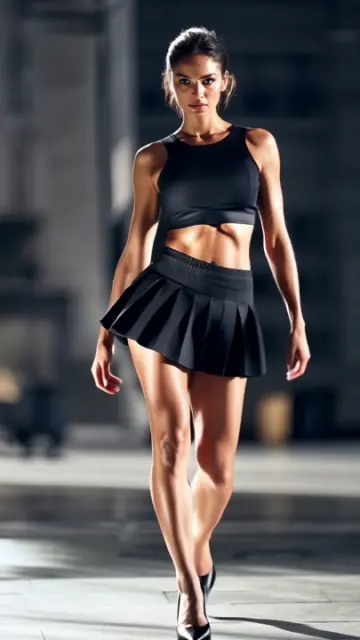

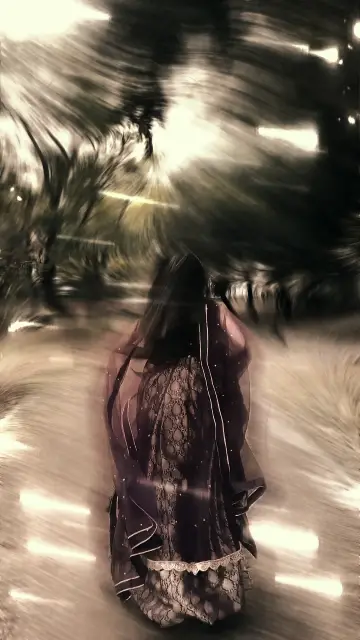 Slow Motion WalkOne walking shot made cinematic with slow motion, low angles and a steady phone.20 templates