 0:09
0:09GLOW UP
1.5M uses2 clips
Trend · 23 templates
Every glow up CapCut template on this page turns a before shot and an after shot into a short reveal, timed so the change lands on the beat. Preview them above and open your favourite in CapCut with one tap.
A glow up is any honest change over time: getting fit, a new hairstyle, a cleaner room, better drawings, school to college. Below we show how to match your shots so the reveal looks real, and how to keep the post kind.
 Most used hereGLOWUP4.4M uses · 34 clipsOpen template
0:09
Most used hereGLOWUP4.4M uses · 34 clipsOpen template
0:09 0:14
0:14 0:17
0:17 0:13
0:13 0:11
0:11 0:11
0:11![GLOW UP [FILTER ON] CapCut template preview](/uploads/2026/10/glow-up-filter-on-db05a3-s.webp) 0:14
0:14 0:15
0:15 0:10
0:10 0:10
0:10 0:14
0:14 0:19
0:19 0:16
0:16 0:11
0:11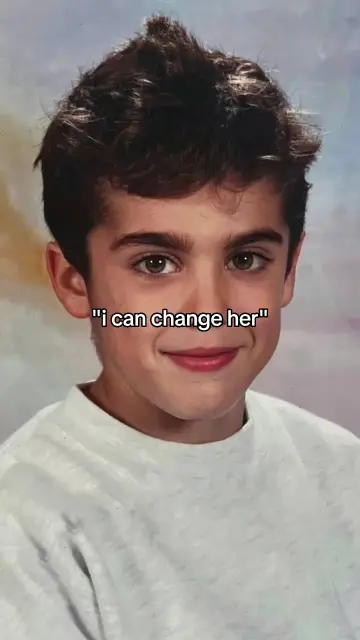 0:15
0:15 0:15
0:15 0:170:16
 0:12
0:12 0:07
0:07 0:15
0:15 0:09
0:09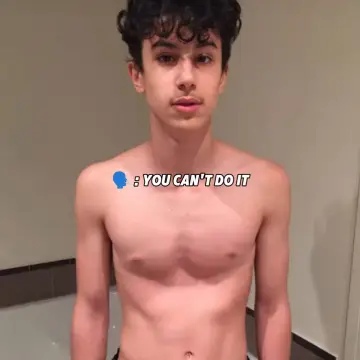 0:13
0:13A glow up CapCut template is a before and after edit. It shows the before for a few beats, then switches to the after on a big moment in the music, often with a flash, zoom or slide. That is why people also search for a "before after capcut template". The switch is the whole point, so the two shots need to line up.
Some versions need just two items, while others ask for several so you can show steps along the way. Check the number of clips on each card before you start.
If your story is about training, our CapCut gym template collection has workout edits you can post after the reveal. If you only have pictures, the CapCut template photo collection is built for photo-only edits.
The reveal looks like magic when only one thing changes: you. Everything else should stay the same.
If your before photo is old and you cannot reshoot it, crop the after photo in your gallery so its framing matches, then add it to CapCut.
Use a real old photo, not one you made look worse on purpose. Vertical photos fit the 9:16 frame best. Slight blur is fine; it is part of the story.
Shoot it fresh and sharp, in good light, at your camera's highest quality. A short video clip works too, and a small smile or turn on the reveal adds life.
Want a shinier reveal? The glow effect CapCut template adds light around the after shot. For a build-up before the switch, a loading effect CapCut template shows a progress bar first.
The template sets the moment of the switch, but you choose which part of your clip plays. Watch the preview and find the beat where it changes. For a video after shot, slide the clip so your best frame sits right on that beat. Keep the before part short, because viewers are waiting for the change.
Editor tip: Put a small label on the before shot, like a year or "day 1", and leave the after shot clean. A clear after frame looks stronger.
If a slot turns black after you add a photo, our fix for a CapCut template black screen covers the usual causes.
A glow up should celebrate effort, not mock anyone. Do not shame your old body or anyone else's. Ask before using a friend's photos, and never make a glow up of another person without their clear permission.
Be honest too. Heavy face filters on the after shot make the change look fake, and viewers notice. If you use a filter, keep it light on both shots so the comparison is fair. For makeup and style reveals with a soft look, the CapCut template new trend girl collection has many matching edits.
Yes. Opening a glow up template from this page is free, and most versions work in the free CapCut app. If CapCut says a template uses a Pro effect, go back and choose another version. Plenty of free ones do the same before and after switch.
Yes. Look for a card that shows two clips. Add your before photo first and your after photo second. CapCut adds a small zoom or slide so the photos do not look frozen, and the switch lands on the beat by itself.
Yes, and it often looks better. A two or three second clip of you turning, smiling or walking forward gives the reveal some movement. Shoot it at 60fps in good light, and slide the clip so the best frame sits on the switch.
Usually the two shots do not match. One may be zoomed in more, taken from a different height, or lit from another side. Crop the after photo to match the before framing, or reshoot it in the same spot with the phone at the same height.
Yes. Glow ups are not only about people. A shop before and after renovation, a garden, a bike clean-up or a desk setup all work well. Film from the same corner both times so viewers can see exactly what changed.
Keep it short and honest. Say what changed and roughly how long it took, for example months of training or a weekend of cleaning. Avoid comparing yourself to others or putting your old self down. Positive captions usually get kinder comments.

 Glow EffectOutline glow, soft bloom and light flash edits, plus tips for clean, bright results.22 templates
 Loading EffectA loading bar fills up, then your news, photo or surprise appears on screen.2 templates

 GymWorkout edits for heavy lifts, pump shots and before-and-after transformations.13 templates

 GirlsSelfie beat-syncs, outfit transitions, makeup reveals and bestie reels for girls.26 templates
 PhotoPhoto-only CapCut templates with 3D zoom, parallax and beat flashes. No video needed.72 templates

 TadowSmooth, jazzy reveal edits for outfits, rooms and food, timed to a laid-back groove.10 templates

 AestheticSoft pastel tones, film grain, slow pans and minimal text for calm, clean edits.28 templates

 TrainingRunning, boxing, cricket and football practice edits with progress stories.22 templates