 0:12
0:12Daily Vlog Trend
66.8K uses18 clips
Category · 44 templates
A mini vlog CapCut template turns ordinary clips, like morning tea, a bus ride and a sunset, into a short story with music, text and smooth cuts already in place. This page collects day-in-my-life, travel and study vlog styles.
Each card lists the clip count and duration, so you can plan what to film before your day starts. Below the grid you will find a shot list, b-roll habits, length advice and a few privacy rules.
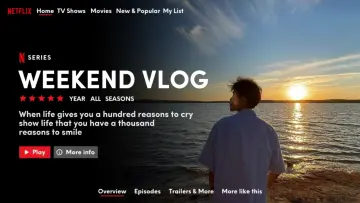 Most used hereNetflix Vlog23.4M uses · 21 clipsOpen template
0:12
Most used hereNetflix Vlog23.4M uses · 21 clipsOpen template
0:12 0:12
0:12 0:14
0:14 0:17
0:17 0:12
0:12 0:12
0:12 0:55
0:55 0:22
0:22 0:31
0:31 0:20
0:20 0:18
0:18 0:11
0:11 0:51
0:51 0:11
0:11 0:20
0:20 0:26
0:26 0:17
0:17 0:25
0:25 0:19
0:19 0:41
0:41 0:31
0:31 0:16
0:16 0:400:36
It is a vlog-style template, often under a minute, that strings many short everyday clips into one story. Instead of talking to the camera for minutes, you show small moments: waking up, making tea, walking to class. Text labels such as the time or the place guide the viewer. A vlog capcut template handles the pacing, so even simple clips feel planned.
Morning to night, in order. It works with calm music and time stamps as text, and it is the easiest daily vlog capcut template to fill.
Arrival, food, streets, views, the ride home. Calm travel edits pair well with the healing Thailand CapCut template trend, and you do not need to be in Thailand to use it.
Desk setup, notes, coffee, a timer, a short walk break. Quiet, soft templates fit best, and the aesthetic CapCut template collection has many of them.
| Moment | Shot idea | Hold the shot for |
|---|---|---|
| Opening | Window light, curtains opening or your shoes at the door | 3 to 5 seconds |
| Getting ready | Close-up of hands making tea or packing a bag | 3 to 5 seconds |
| On the way | Walking feet, or the view from a bus or train window | About 5 seconds |
| Main event | Class, desk, market, beach, a friend laughing | Several short clips |
| Food | The plate from above, then the first bite | About 3 seconds |
| Ending | Sunset, lights going off, a notebook closing | About 5 seconds |
B-roll means the small extra shots around the main action. Good b-roll is what makes a mini vlog template capcut edit feel smooth.
Editor tip: Make a vlog album in your gallery and drop the best clips into it during the day. In the evening, everything is in one place and already in order when you open the template.
There is no fixed rule for a mini vlog CapCut template, but many run between 15 and 45 seconds. Short ones are easy to rewatch, longer ones tell more. If your day had a clear start and end, a CapCut template for Reels 30 seconds long gives you enough room. If you only have photos, a photo dump CapCut template is quicker. For export quality and where the finished file is saved, read the CapCut template download guide.
Mostly, if you use common sense. Never film while driving or riding. Do not show your house number, school name, car plate or live location; post after you have left a place. Ask friends before you include them, and avoid close-ups of strangers' faces.
Yes, and many popular vlogs do. Film from your point of view: hands, feet, food, the view ahead. Objects and places tell the story just as well. If you want a personal touch, add a short voiceover or text instead of appearing on camera.
Check the clip count on the template card. Vlog templates often use many short slots, so film more clips than you think you need during the day. Extra clips let you replace any shaky or dark ones without filming again.
Not usually inside the template. Export the finished video first, then open it in the normal CapCut editor and record your voice on a new audio track. Lower the music a little under your voice so every word is clear.
Morning and late afternoon give the softest light outdoors. Indoors, film near a window during the day. Avoid harsh midday sun on faces and dark rooms at night, unless a lamp lights your subject well and the phone stays steady.
Short labels help a lot. Add the time, the place or a few words about what is happening. Keep each line short enough to read in two seconds, use a clean font and check spelling before export. Avoid long paragraphs that flash by too fast.
Yes. CapCut exports a vertical 9:16 video that fits YouTube Shorts, Instagram Reels and TikTok. Keep it within the Shorts length limit, add a clear title and check that the music is allowed on YouTube before you publish.

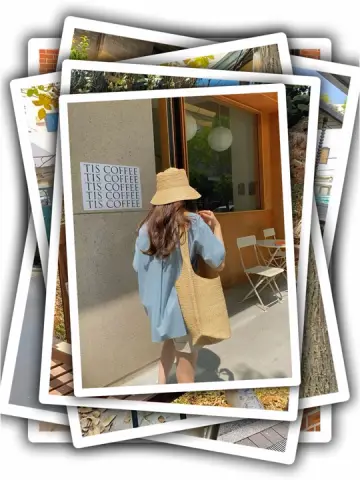
 Photo DumpFast beat-synced recaps for your month, a trip or a whole year of photos.38 templates

 AestheticSoft pastel tones, film grain, slow pans and minimal text for calm, clean edits.28 templates

 Healing ThailandCalm, feel-good travel edits in slow motion or with a Hindi song, ready for your clips.50 templates

 30 SecondsLonger 30 second templates for Reels with room for a hook, a story and a payoff.8 templates

 Instagram ReelsTrending 9:16 CapCut templates picked for Instagram Reels, with posting and audio tips.77 templates

 CinematicMovie-style edits with black bars, rich color, wide shots and golden light.46 templates

 Just Like the WindBreezy edits built on moving hair, scarves, fields and open roads, with shooting tips.19 templates
 PhotoPhoto-only CapCut templates with 3D zoom, parallax and beat flashes. No video needed.72 templates