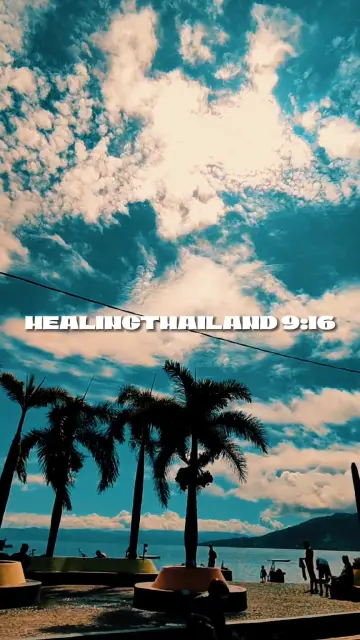
 0:12
0:12healingthailand9:16
385.3M uses1 clip
Trend · 0 templates
This page collects capcut template saura versions, cinematic slow motion edits with smooth speed changes, rich colour and a strong final shot. Tap any preview to see the clip count and duration, then open it in CapCut with one tap.
"Saura" is simply the name this trend is shared under, so we will not guess what it means. What matters is your footage. Below are tips for choosing a version, a shooting checklist, phone settings for smooth slow motion and fixes for edits that stutter.
New saura templates are being added. Meanwhile, here are the templates trending right now.
0:12 0:14
0:14 0:10
0:10 0:08
0:08 0:36
0:36 0:10
0:10 0:14
0:14 0:20
0:20 0:11
0:11 0:15
0:15 0:21
0:21 0:11
0:11In short: Saura templates slow your clips down at key moments, so they need footage with real movement and enough frames. Film at 60fps in daylight, keep the phone steady, pick a version whose clip count matches your best shots and export at 1080p.
The saura CapCut template is a cinematic slow motion trend. Versions usually mix normal speed moments with slowed sections, add a film-style colour grade and sometimes black bars at the top and bottom for a movie feel. Walking shots, hair or cloth moving in the wind, a slow turn to camera and wide scenery all suit it.
Because it depends on slow motion, it sits inside our wider CapCut template slow motion collection. If you want more movie-style looks without heavy speed changes, browse the cinematic CapCut templates too.
When a template slows a clip, it stretches the frames you recorded. A clip shot at 30fps and slowed to half speed shows only 15 new frames each second, which looks jumpy. A clip shot at 60fps and slowed the same way still shows 30 frames each second, which looks smooth. That is why the same template can look cinematic on one phone and choppy on another.
Slowing also stretches time, so a two second moment can fill a four second slot. Record each shot a little longer than you think you need, so the template has enough footage for every slot.
| Version style | Best footage | Watch out for |
|---|---|---|
| One long slow shot | A single great walk or turn | Needs a very steady clip |
| Many short slow cuts | Six or more varied clips | Keep colours similar between clips |
| Photo-based | Sharp portraits and scenery | Photos only zoom, they cannot slow down |
| Name or text version | Any of the above | Keep the text short so it fits |
Searching "saura template capcut" usually turns up a mix of all four. Use the clip count and duration on each card here to shortlist the CapCut template saura versions that fit your footage, then watch the previews with sound.
This is the best choice for most templates. On iPhone it is under Settings, Camera, Record Video. On Android, look for a frame rate option in the camera app's video settings; the label differs by brand.
Slo-mo records at a higher frame rate, often 120 or 240fps, and suits splashes and hair flips. Some phones save these clips already slowed, so the template can slow them a second time and they drag. Test one clip before you film everything.
Keep the sun behind the camera or to one side. For a heroic look, hold the phone at waist height and point it slightly up. For a single walking shot made cinematic, the slow motion walk CapCut template is the simpler choice.
Stutter almost always comes from 30fps footage or from clips sent through chat apps, which compress video. Use the original file from your gallery. Blur usually comes from low light or a moving phone, so film earlier in the day and keep your hands still. If you like this mood but want plain slow motion, compare the camera lenta CapCut template versions.
Filming in public: ask people before you put them in your video, stay off busy roads while you film, and never record while driving.
Saura is the name this trend is shared and searched under. We do not guess at its meaning or origin. What people mean by it is the look: cinematic slow motion with smooth speed changes and a film-style colour grade, filled with your own clips.
Some saura versions accept photos and add zooms and pans, but photos cannot be slowed down like video. If the preview shows smooth slow motion, use video clips. For photo versions, choose sharp, well-lit portraits or wide scenery that look good with a slow push-in.
Choppy slow motion means there are not enough frames. Record at 60fps instead of 30fps, use good light, and add the original file from your gallery instead of one forwarded through a chat app. Avoid clips that you have already slowed in another app.
Normal video at 1080p and 60fps suits most saura versions. It keeps the quality high and gives enough frames for smooth slowing. Use the Slo-mo mode only for very fast moments like splashes, and test one clip first, since some phones save those already slowed down.
CapCut has been blocked in India since 2020, so template links may not open there, and this site does not share workarounds. In countries where CapCut is available, the template opens from the Use Template button. See our CapCut template not showing guide for other reasons a link fails.
Longer than the slot. Slow sections stretch time, so a slot that lasts two seconds may need four seconds of real footage or more. Record five to ten seconds per shot and let the template trim it. Short clips risk running out before the slot ends.
Slow MotionSmooth slowmo, blur and zoom CapCut templates, plus shooting tips for clean slow motion.214 templates 
 CinematicMovie-style edits with black bars, rich color, wide shots and golden light.46 templates

 Slow Motion WalkOne walking shot made cinematic with slow motion, low angles and a steady phone.20 templates
  Camera LentaSlow motion edits for hair flips, splashes, spins and walks, under a Spanish name.1 template
 Neon Slow MotionNeon outlines, light trails and glowing slow motion, best with night clips.20 templates Healing ThailandCalm, feel-good travel edits in slow motion or with a Hindi song, ready for your clips.50 templates

 SadQuiet edits for heartbreak, missing someone, rainy windows and black and white memories.30 templates

 AttitudeConfident walk-ins, sunglasses reveals and bass-drop edits with short bold text.37 templates