 0:15
0:15Car Edits
1.8M uses35 clips
CapCut template · Car
Made by RAMZI
Opens in the CapCut app on your phone. On a computer, scan the QR code.
CAREDIT | 4video is a 13-second car CapCut template made by RAMZI that turns 4 photos or videos into a finished video with the music, cuts and effects already in place. It has around 43.9K uses and is still climbing.
You will be asked for 4 clips; select them in story order so the edit flows. At around 13 seconds it suits a quick Reel, Short or WhatsApp Status. Film only when the car is parked or from the passenger seat, never while driving.
| Template | CAREDIT | 4video |
|---|---|
| Creator | RAMZI |
| Clips needed | 4 photos or videos |
| Length | 13 seconds |
| Uses on CapCut | 43,851 |
| Format | Vertical 9:16, ready for Reels, Shorts and TikTok |
| Added | 25 October 2026 |
Tap "Use Template in CapCut" on this page. On a computer, use the QR code and scan it with your phone.
CapCut shows the template preview. Tap the Use template button, usually at the bottom of the screen.
Select photos or videos from your gallery in the order you want them. Vertical clips fit best.
Swap any clip, change the text if there is some, then tap Export and pick your quality.
Stuck? Read how to use a CapCut template, or fix a black screen in CapCut.
Tap "Use Template in CapCut" on this page to open it in the CapCut app, then tap Use template, select 4 photos or videos and export. On a laptop, scan the QR code with your phone instead. Our template guide covers each step.
This template asks for 4 photos or videos. You can mix photos and videos in most templates. If you have fewer clips, pick a different template rather than repeating the same shot, so the edit still looks clean.
Opening and using the template is free in CapCut. Some templates include effects that CapCut marks as Pro; if this one does, the app tells you before export. CCTemplates never charges for templates and needs no sign-up.
Update CapCut, then try the backup link under the main button. If the app still does not open it, the template may have been removed by its creator or may not be available in your country. See our fix for templates not showing.
0:15 0:15
0:15 0:09
0:09 0:15
0:15 0:17
0:17 0:14
0:14 0:15
0:15 0:11
0:11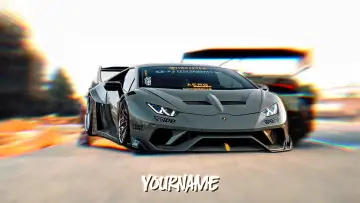 0:17
0:17 0:13
0:13 0:09
0:09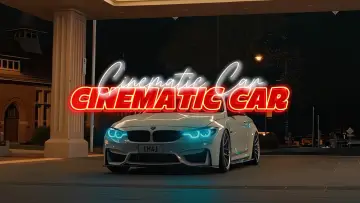 0:19
0:19